> For the complete documentation index, see [llms.txt](https://docs.guilde.ai/llms.txt). Markdown versions of documentation pages are available by appending `.md` to page URLs; this page is available as [Markdown](https://docs.guilde.ai/documentation/getting-started/quickstart-2.md).

# User Onboarding

Guilde helps AI generate the most reliable production-ready code. By redesigning each step in the SDLC, Guilde prevents the most common reasons agents waste your time. Automatically inherit the latest

### Sign Up For An Account

* Visit the URL provided by your Account Administrator to begin the Sign Up process for your firewall.&#x20;
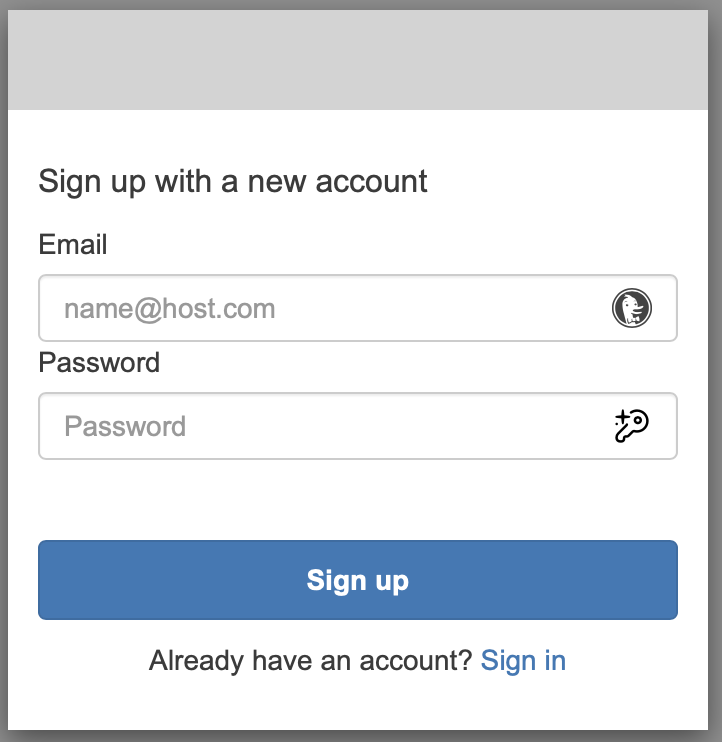
* AWS Verified Access Sign Up Process: Select “Sign Up” option to create an AWS Verified Access account in order to securely access the Guilde application.

<figure><img src="https://2329410526-files.gitbook.io/~/files/v0/b/gitbook-x-prod.appspot.com/o/spaces%2FlFap138hr6ZVkYuvU3nI%2Fuploads%2F3veevrFeqoafL9eBgOhg%2FGuilde%20User%20Onboarding%20Step%201.png?alt=media&amp;token=bdea9e33-9a0b-4a39-a5a2-ca9aaf365d90" alt=""><figcaption></figcaption></figure>

* Create an Email and Password and select “Sign Up”

<figure><img src="https://2329410526-files.gitbook.io/~/files/v0/b/gitbook-x-prod.appspot.com/o/spaces%2FlFap138hr6ZVkYuvU3nI%2Fuploads%2F756lFnzy5e9ab4rYYb3u%2FGuilde%20User%20Onboarding%20Step%202.png?alt=media&amp;token=f3a4fb02-3765-40e8-a658-027f8c85b40c" alt=""><figcaption></figcaption></figure>

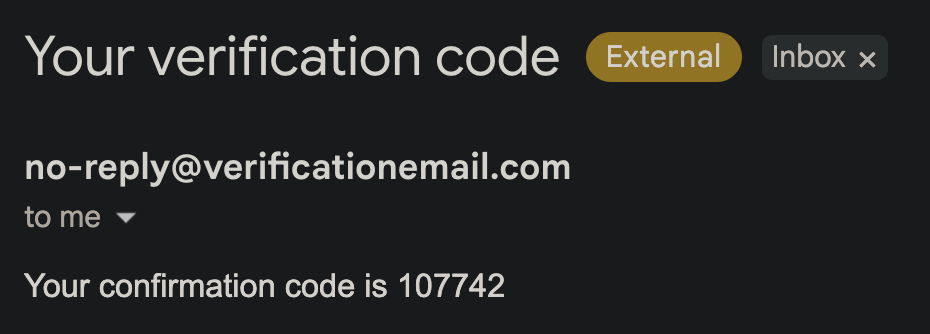
* Retrieve Account Verification Code by navigating to your email provider. Look for an email from “verificationemail.com”

<figure><img src="https://2329410526-files.gitbook.io/~/files/v0/b/gitbook-x-prod.appspot.com/o/spaces%2FlFap138hr6ZVkYuvU3nI%2Fuploads%2FfYiidJ1S2nKvXJulGR6K%2FGuilde%20User%20Onboarding%20Step%203.png?alt=media&amp;token=2f2d8cd6-a35a-428a-b363-d14b308aad05" alt=""><figcaption></figcaption></figure>

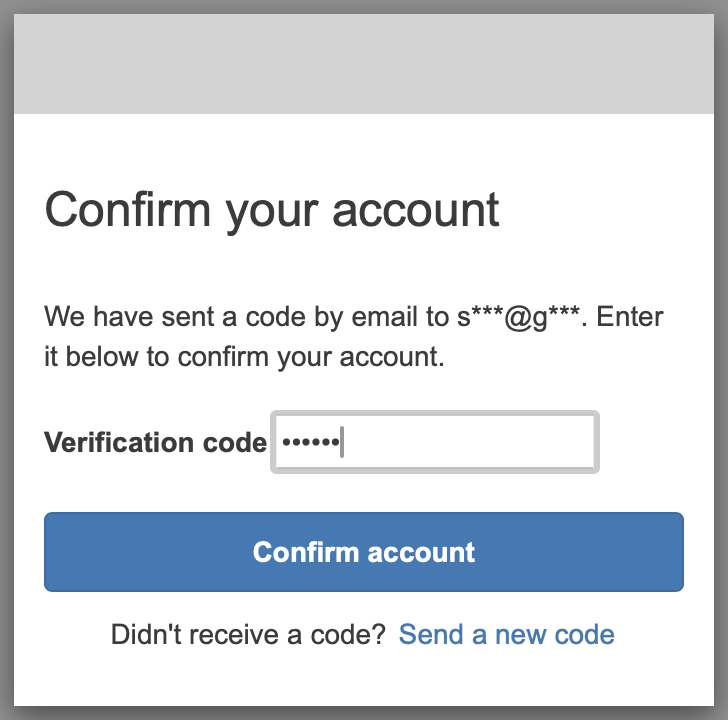
* Verify Account by copying and pasting the confirmation code into the Guilde UI. Select “Confirm Account.”&#x20;

<figure><img src="https://2329410526-files.gitbook.io/~/files/v0/b/gitbook-x-prod.appspot.com/o/spaces%2FlFap138hr6ZVkYuvU3nI%2Fuploads%2FIIB7IoI6ghnAqBvL7kCj%2FGuilde%20User%20Onboarding%20Step%204.png?alt=media&amp;token=880c55e0-73e9-4406-91da-ea9eeb9d09d9" alt=""><figcaption></figcaption></figure>

* Guilde Application Sign Up Process: Select Sign Up button at the bottom of the Sign In page

<figure><img src="https://2329410526-files.gitbook.io/~/files/v0/b/gitbook-x-prod.appspot.com/o/spaces%2FlFap138hr6ZVkYuvU3nI%2Fuploads%2FSHo0BBCebDR492wMvfsq%2FGuilde%20User%20Onboarding%20Step%205.png?alt=media&amp;token=4f874d6b-5e7c-46b3-a619-e16d0a690721" alt=""><figcaption></figcaption></figure>

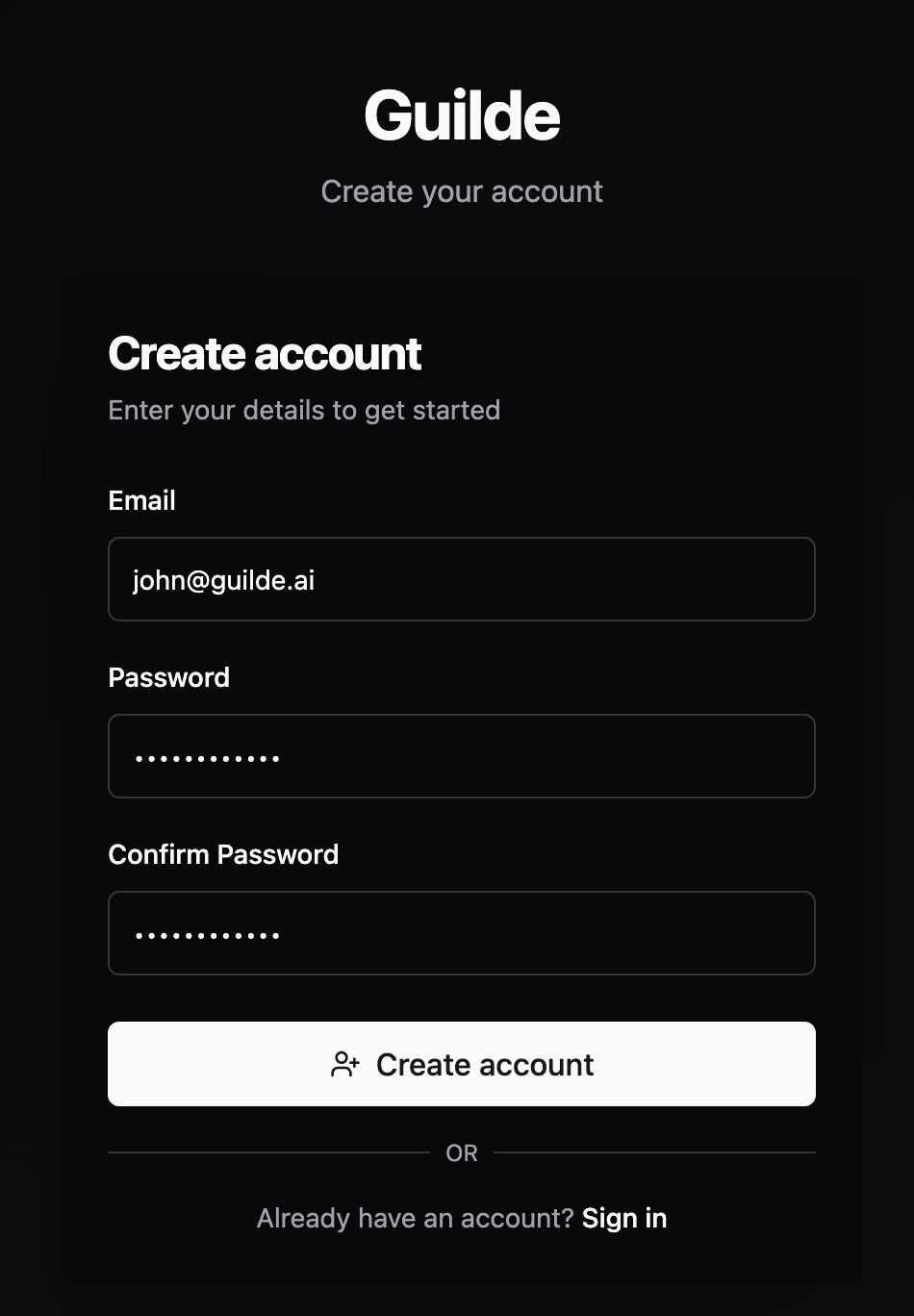
* Enter email address and define a password. Select “Create Account.”

<figure><img src="https://2329410526-files.gitbook.io/~/files/v0/b/gitbook-x-prod.appspot.com/o/spaces%2FlFap138hr6ZVkYuvU3nI%2Fuploads%2FVNOinu2FRvrvxuXi89kc%2FGuilde%20User%20Onboarding%20Step%206.png?alt=media&amp;token=80c9e870-39b4-4849-b27f-ac88202fe74b" alt=""><figcaption></figcaption></figure>

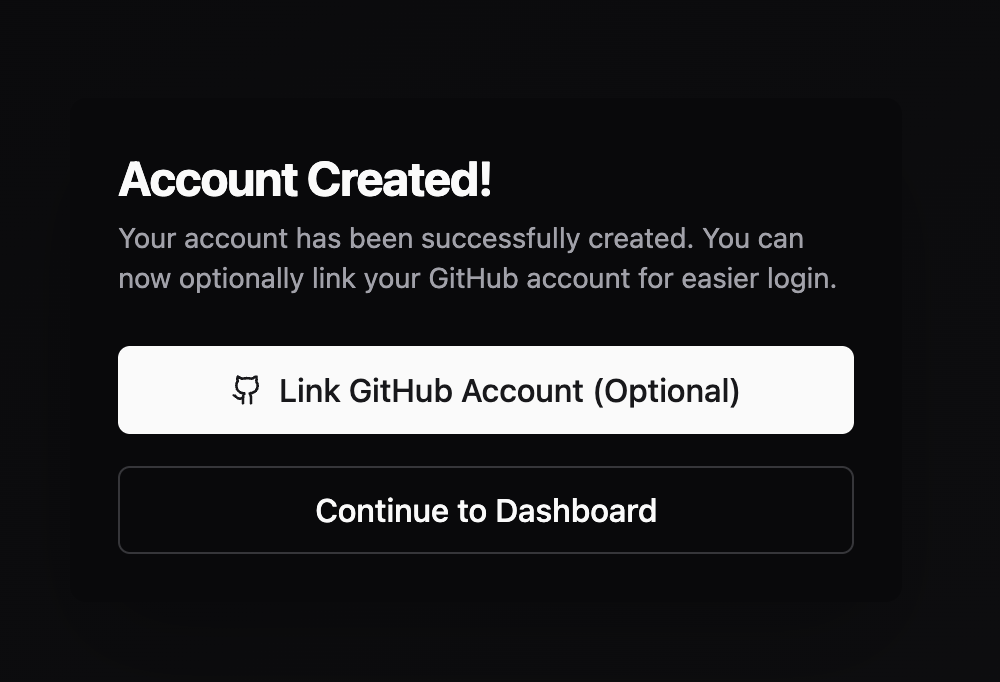
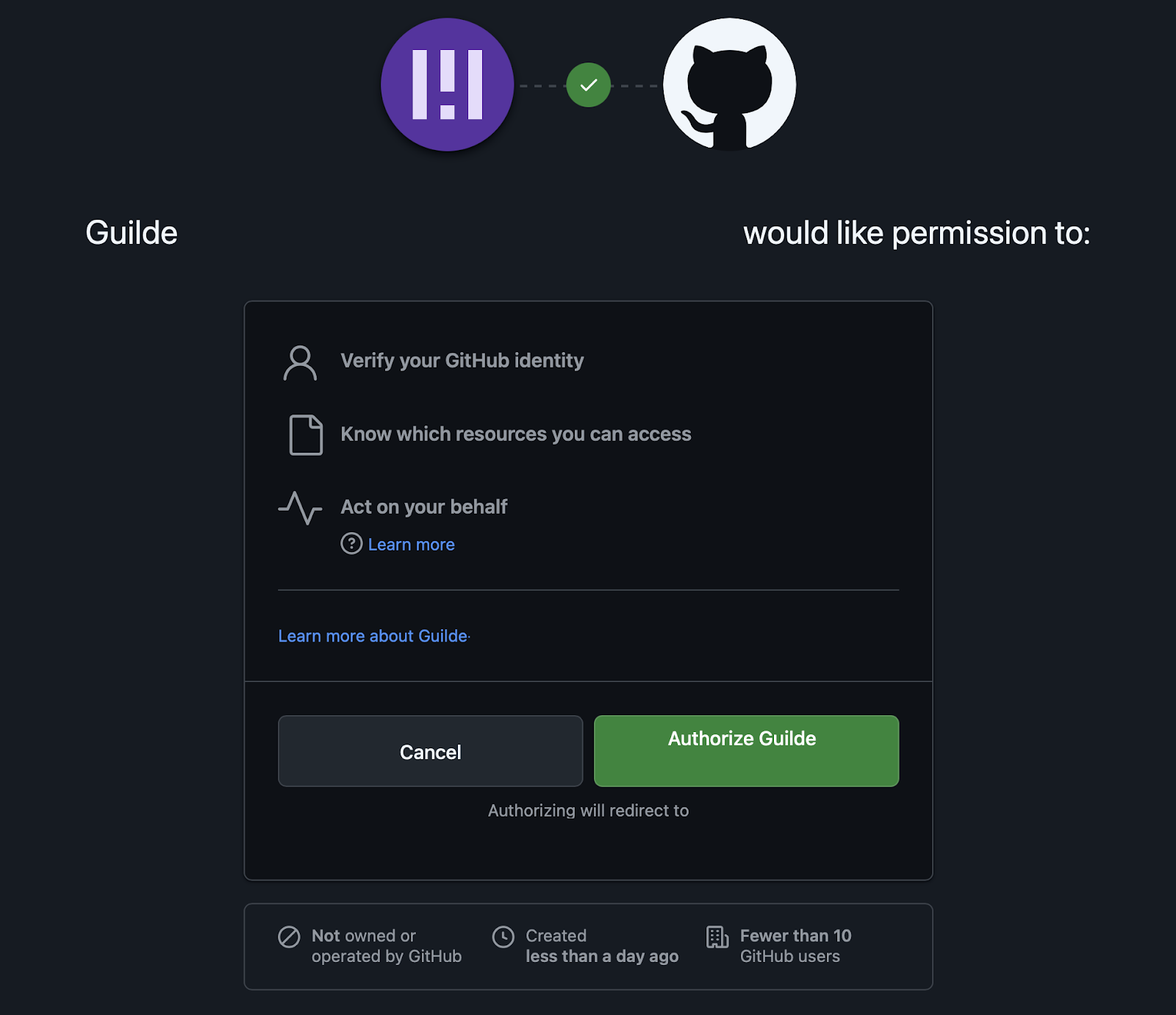
* Select “Link GitHub Account”

<figure><img src="https://2329410526-files.gitbook.io/~/files/v0/b/gitbook-x-prod.appspot.com/o/spaces%2FlFap138hr6ZVkYuvU3nI%2Fuploads%2FXHh0Sx1unVkt4WX2ZWTn%2FGuilde%20User%20Onboarding%20Step%207.png?alt=media&amp;token=d7c09a16-3d1b-40d9-8193-a987ee905815" alt=""><figcaption></figcaption></figure>

* Authorize Guilde: Select “Authorize Guilde”

<figure><img src="https://2329410526-files.gitbook.io/~/files/v0/b/gitbook-x-prod.appspot.com/o/spaces%2FlFap138hr6ZVkYuvU3nI%2Fuploads%2FP2A3jHbGRGAhwCSERWWK%2FGuilde%20User%20Onboarding%20Step%208.png?alt=media&amp;token=5591de97-cf43-43b8-8eda-f55014074d90" alt=""><figcaption></figcaption></figure>

### Initiate Your First Sprint

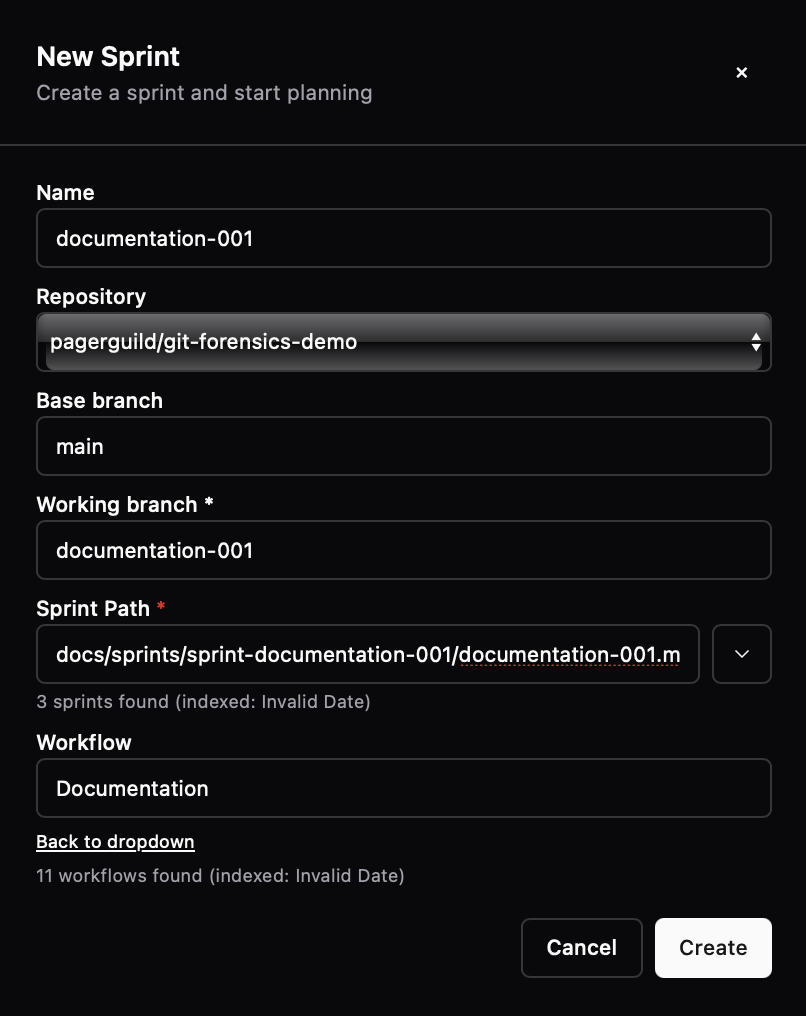
* In the Guilde application, navigate to the Dashboard page and select “New Sprint.”
* Name the sprint “documentation-001” and assign it the same working branch name: documentation-001. Be sure to choose a branch name that does not yet exist in the repository.
* Select the repository
* The base branch will be automatically generated
* Select the “Documentation-workflow” &#x20;
* Select Create.
* Once workflow complete, please review the generated documentation on the branch "documentation-001"

<figure><img src="https://2329410526-files.gitbook.io/~/files/v0/b/gitbook-x-prod.appspot.com/o/spaces%2FlFap138hr6ZVkYuvU3nI%2Fuploads%2FGviUZE4FLzM7ykpWDc0g%2FGuilde%20Create%20Documentation%20Sprint.png?alt=media&amp;token=e4053acd-7281-422d-872f-9a5feca6c536" alt=""><figcaption></figcaption></figure>

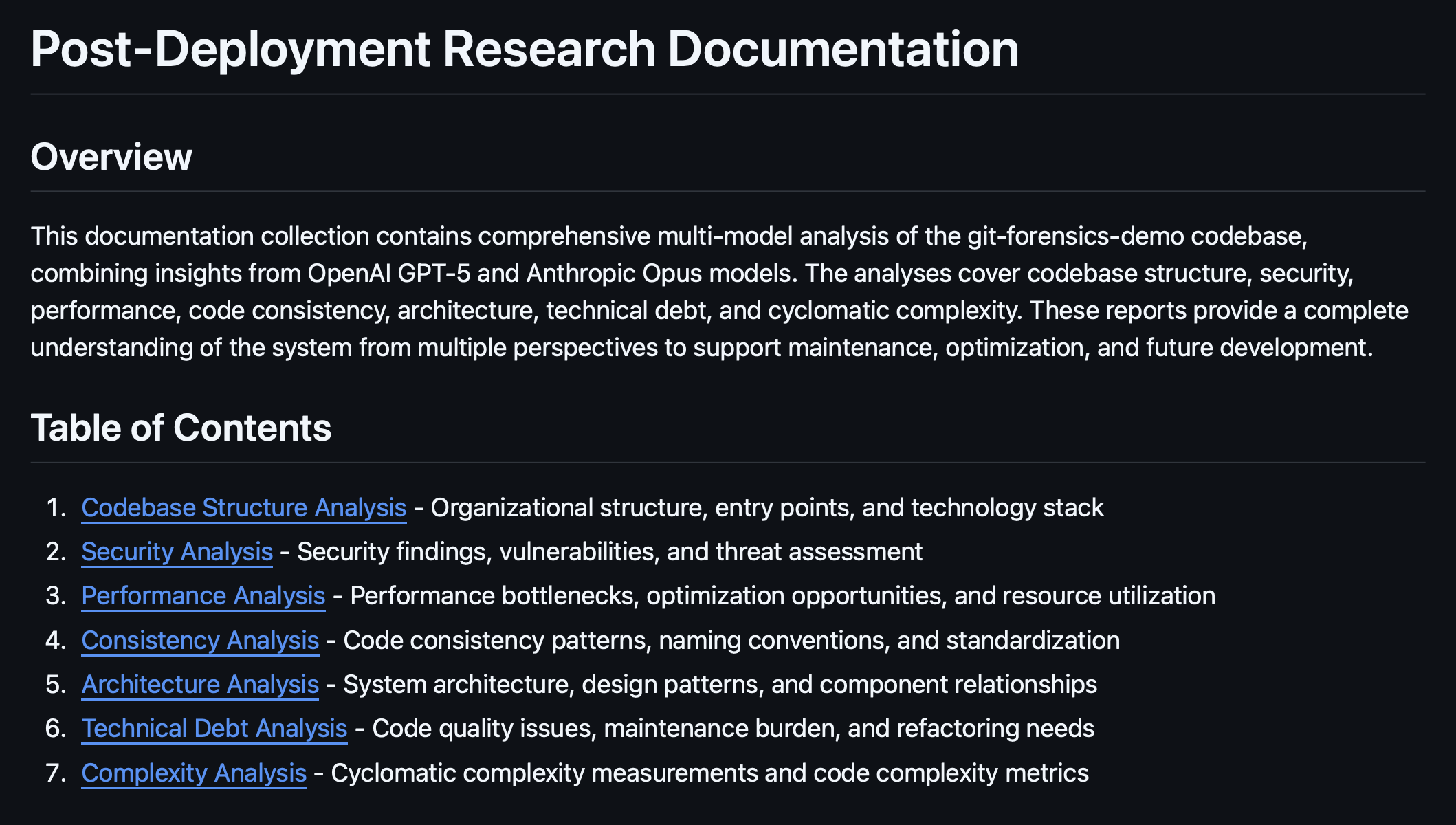
* After the Sprint completes, review the documentation Guilde generates.

<figure><img src="https://2329410526-files.gitbook.io/~/files/v0/b/gitbook-x-prod.appspot.com/o/spaces%2FlFap138hr6ZVkYuvU3nI%2Fuploads%2FNAU0NCy5b4AG9JLCEq5V%2FGuilde%20Generated%20Documentation.png?alt=media&amp;token=2d41639b-258c-471e-bc58-842fc8fe8969" alt=""><figcaption></figcaption></figure>

* Review the code quality issues identified in the Technical Debt Analysis and consider creating Sprints to mitigate each issue.

<figure><img src="https://2329410526-files.gitbook.io/~/files/v0/b/gitbook-x-prod.appspot.com/o/spaces%2FlFap138hr6ZVkYuvU3nI%2Fuploads%2FuCKUtvCQYUjV87CplDgq%2FGuilde%20Identified%20Code%20Quality%20Issues%20in%20Technical%20Debt%20Analysis.png?alt=media&amp;token=a7df94d5-4fb9-4e5c-a504-063d913db0fa" alt=""><figcaption></figcaption></figure>